
SOLUTIONS // CUSTOMER APPS
Customer apps and portals people keep coming back to.
Ordering, booking, loyalty, service requests, account self-service — a customer app earns a place on the home screen by making something your customers already do faster. We design and build customer-centric apps for iOS, Android and the web, wired into the systems behind them.
WHO IT IS FOR
Who customer app and portal development is for.
Customer app and portal development is for a business whose customers come back often and currently phone or message for things they could do themselves. We build customer apps and portals for businesses in India, the UAE and Australia.
Restaurants, bakeries and cloud kitchens
Regulars order through an aggregator, which keeps the customer record and takes a commission on a customer you already had.
Retailers and pharmacies
Loyalty is a paper card or a phone number at the till, and offers go to everyone as one broadcast.
Clinics, salons and service centres
Appointments are booked by phone, changed by phone and missed for want of a reminder.
Distributors and B2B suppliers
Dealers call to place orders, check balances and ask for invoice copies your team then has to find.
By sector: ordering and loyalty apps for restaurants and retail.
Our approach
Most customer apps are downloaded once and forgotten, because they repeat the website instead of removing effort. The ones that stay installed do one or two jobs better than any alternative: reorder in two taps, book without a call, track without asking.
We start with the customer’s most frequent task and design outward from it. The app connects to your inventory, CRM or booking system so what a customer sees is always true, and usage is measured from day one so the next release is decided by behaviour, not opinion.
Comparing native, Flutter and React Native, or taking over an existing app? See mobile app development in Kochi.
Signs it is time
- Customers call or WhatsApp for things they could do themselves
- Repeat customers have no reason to order from you directly
- Bookings and orders are re-typed from messages
- You have customer data but no way to act on it
- Your current app has installs but little use
WHAT WE BUILD
Customer App Development: what is inside.
A customer app is built around the one task your customers repeat most, then extended. A first release is drawn from the modules below, and a customer portal on the web can share the same back end.
Ordering and payments
Catalogue, cart, saved addresses and payment gateway integration, with order status pushed to the customer.
Bookings and appointments
Real availability, confirmations and reminders, rescheduling without a phone call.
Loyalty and offers
Points, rewards, referral codes and targeted offers tied to what each customer actually buys.
Customer self-service portal
Accounts, invoices, service requests and documents available without contacting support.
Notifications and engagement
Push, SMS, email and WhatsApp messages triggered by behaviour, not blasted to everyone.
Integration with your back office
Connected to your CRM, ERP, POS or booking system, so the app never shows stale data.
INTEGRATIONS
What it connects to.
A customer app is only as good as the data behind it, so it reads from the systems that already hold your stock, prices and bookings. These are the integrations we build.
| System | What it does | Market |
|---|---|---|
| Razorpay | UPI, cards and wallets inside the app, with refunds handled from the admin panel. | India |
| Stripe | Card payments from customers in the UAE and Australia. | UAE, Australia |
| Push notifications | Order, booking and offer alerts through Apple’s and Google’s push services. | All markets |
| WhatsApp Business API and SMS | One-time passwords at sign-in, and status messages for customers who have notifications off. | India, UAE |
| Google Maps | Addresses, delivery tracking and the nearest branch. | All markets |
| Your POS, ERP or CRM | Live stock, prices, balances and order history read from the system that already holds them. | All markets |
HOW A PROJECT RUNS
From first conversation to go-live.
A customer app project runs in five stages and ships a first release that does one job completely. It follows the same six-stage process we use on every product.
- 01
Discovery
We look at what customers already do: how often they transact, and what they call or message to ask.
- 02
Scope the first release
One core action, done completely: order, book, pay or track. Everything else waits for evidence.
- 03
Design
Flows are designed for one hand and a weak connection, then tested on the phones your customers own.
- 04
Build and integrate
The app, the admin panel and the connection to your back office are built together, with a working build every fortnight.
- 05
Store release and growth
We submit to the App Store and Google Play under your accounts, measure retention from the first week and plan the next release from it.
COST AND TIMELINE
What decides the cost.
The cost of a customer app follows the number of things a customer can do in it, the systems it connects to and the platforms it ships on. One cross-platform codebase for iOS and Android avoids building the front end twice.
| Cost driver | How it moves the price |
|---|---|
| Features | Each distinct action (order, book, pay, track, redeem) has its own screens, rules and tests. |
| Platforms | One cross-platform codebase serves both stores. Two native apps roughly double the front-end work. |
| Back-office integration | Reading live stock, prices or balances from your systems is often the largest single item. |
| Admin panel | Someone has to manage orders, content and offers. That panel is a web application of its own. |
| Design | An app customers choose to open needs more design work than an internal tool. |
| After launch | Operating system updates, monitoring and store reviews continue for as long as the app is live. |
Typical scopes
Most projects fall into one of three scopes. Yours is priced against a written scope after discovery, not against a row in this table.
| Scope | What it covers |
|---|---|
| Web portal | Signed-in accounts, order history, invoices and service requests in the browser |
| First app release | One core action on iOS and Android, payments, notifications and an admin panel |
| App with loyalty | Adds loyalty and referrals, targeted offers and deeper back-office integration |
CUSTOM OR OFF THE SHELF
An honest comparison.
An aggregator listing or a white-label app is the right start when you need orders this month and have few repeat customers. Your own app pays off once regulars are a large share of sales and you want the relationship and the margin.
| Aggregator listing or white-label app | Custom, built by LYMDATA LABS | |
|---|---|---|
| Who holds the customer | The platform holds the customer record and decides how visible you are. | You hold the record, the history and the channel. |
| Cost profile | A commission or subscription for as long as you use it. | An upfront build, then hosting and support. |
| Fit | The flow is the same for every business on the platform. | Built around how your customers actually order or book. |
| Integration | Limited to what the platform exposes. | Reads live from your POS, ERP or CRM. |
| New customers | Brings people who were not looking for you. | Serves the customers who already know you. |
| Choose it when | You are new, or customers rarely return. | Regulars are a large share of sales. |
Many businesses should keep the aggregator for discovery and add their own app for regulars. Does your business need a customer app? sets out seven signs that one would be used.
PUBLISHED WORK
TriQare
Mobile app and web portal // Mumbai
For TriQare, a Mumbai healthtech startup, we built QSoS, a mobile app for patients and ambulance drivers. The first screen is the emergency: one press raises the request with the caller’s location, the patient watches the assigned ambulance approach in real time, and a stored medical profile means the crew is not starting from nothing.
Read the TriQare case study →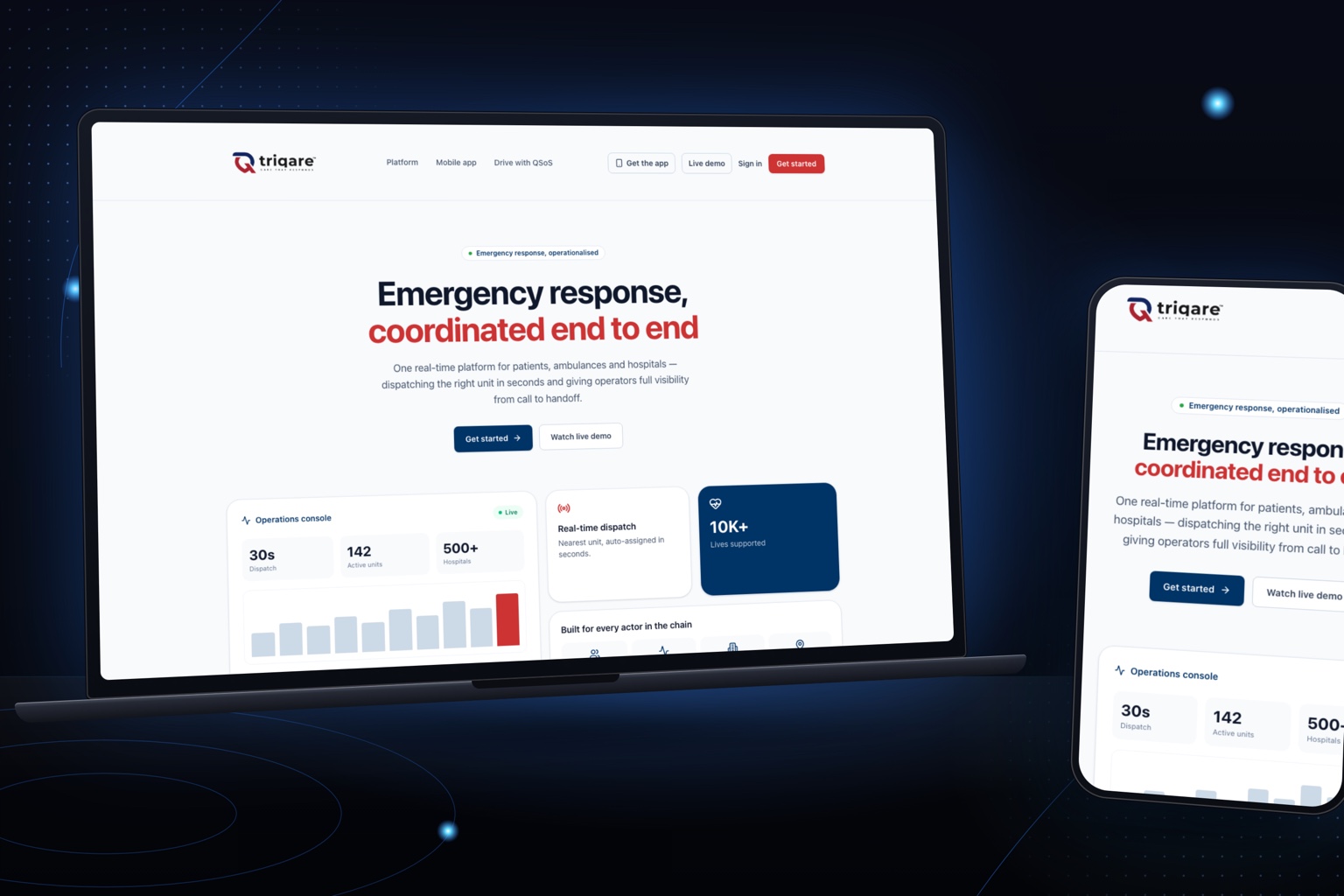
QUESTIONS WE GET ASKED
Before you decide.
Do we need a native app or will a web app do?
If customers use it weekly or more, want notifications, or need it offline, a mobile app earns its place. For occasional use, a fast web portal is cheaper and reaches everyone. We will recommend one based on how often your customers need it.
Can you build for both iOS and Android?
Yes. We usually build with React Native so one codebase ships to both stores, and go fully native only when the app needs it.
Can the app connect to our existing systems?
Yes. Integration with your CRM, ERP, POS or booking system is part of the scope, so orders and customer data flow without re-entry.
Do you publish the app to the stores?
Yes. We handle App Store and Google Play submission under your developer accounts, so the listings belong to you.
How much does it cost to build a customer app?
It depends on the number of things a customer can do, the back-office systems the app connects to and whether you need an admin panel. Customer app projects start from ₹1 lakh. We quote a fixed price for a defined first release. Our guide to mobile app development cost in India explains what drives the number.
How long does it take to build a customer app?
A focused first release typically takes weeks to a few months from discovery to store submission, depending on integrations with your existing systems and how quickly decisions are made.
Do we own the source code and the customer data?
Yes. The source code, the back end, the customer data and the store listings are in your company’s name, and there is no licence fee to us.
Further reading
- Does Your Business Need a Customer App? 7 Signs, and What to Build FirstNot every business needs an app, and many that build one regret it. Here are the signs that yours would actually be used, the cases where a mobile website is the better answer, and how to scope a first release customers will keep.
- How Much Does Mobile App Development Cost in India? What Actually Drives the PriceTwo agencies quote for the same app and one number is four times the other. Here is what decides the cost of an app, how to estimate it yourself, and how to compare quotes that do not look alike.
Where we work
We deliver customer app and portal development from Infopark, Kochi, for businesses in Kochi, Calicut, Trivandrum, Thrissur, Kottayam, Alappuzha, the rest of Kerala, Mumbai, the rest of India, the UAE and Australia.
NEXT STEP
Start your Customer App project.
Tell us how the work runs today and what has to change. If a packaged product would serve you better than a custom Customer App, we will say so.